A European Pixel 3a running Linux: what Google abandoned in 2022 now runs a 2026 kernel
An hour lost on four wrong theories, one line in /sys that gave the answer, and a cracked-screen phone turned development machine
In two minutes
- Starting point: a 2019 Pixel 3a, European G020F model, last security update 5 May 2022, cracked screen, factory-reset. Officially: waste.
- End point, a few hours later: postmarketOS running a mainline Linux 7.1.3 kernel — not a patched-up Android kernel, the real one — the Phosh desktop, both cameras detected, and
sshaccess over the plain USB cable. - The choice that matters: Ubuntu Touch makes everything work better, but it rests on frozen Android drivers. postmarketOS makes fewer things work, on code you can fix and send upstream. For anyone who wants to contribute, it’s the only option.
- The hour lost:
fastbootkept hanging without a single message. I blamed permissions, then the cable, then the USB port, then the binary’s version. All four were wrong. The culprit: the kernel puts the USB interface to sleep after two seconds, the Pixel bootloader can’t wake back up — and TLP was silently undoing my fix. - What that reveals: this trap is documented nowhere. Someone who hits it concludes their cable is dead and gives up. A two-line fix settles it, for every Pixel.
- What’s next:
cam -lreproduces a known libcamera bug on first boot — and reveals a second, easier one that nobody had reported. - What about your phone? postmarketOS covers 39 devices at
communitytier (fourteen of them phones) and 149 attesting; Ubuntu Touch lists 111. Full tables further down.
This post aims to be readable without knowing anything about Android or Linux: every technical term is explained the first time it appears. The “Going deeper” boxes fold out for those who want the exact commands.
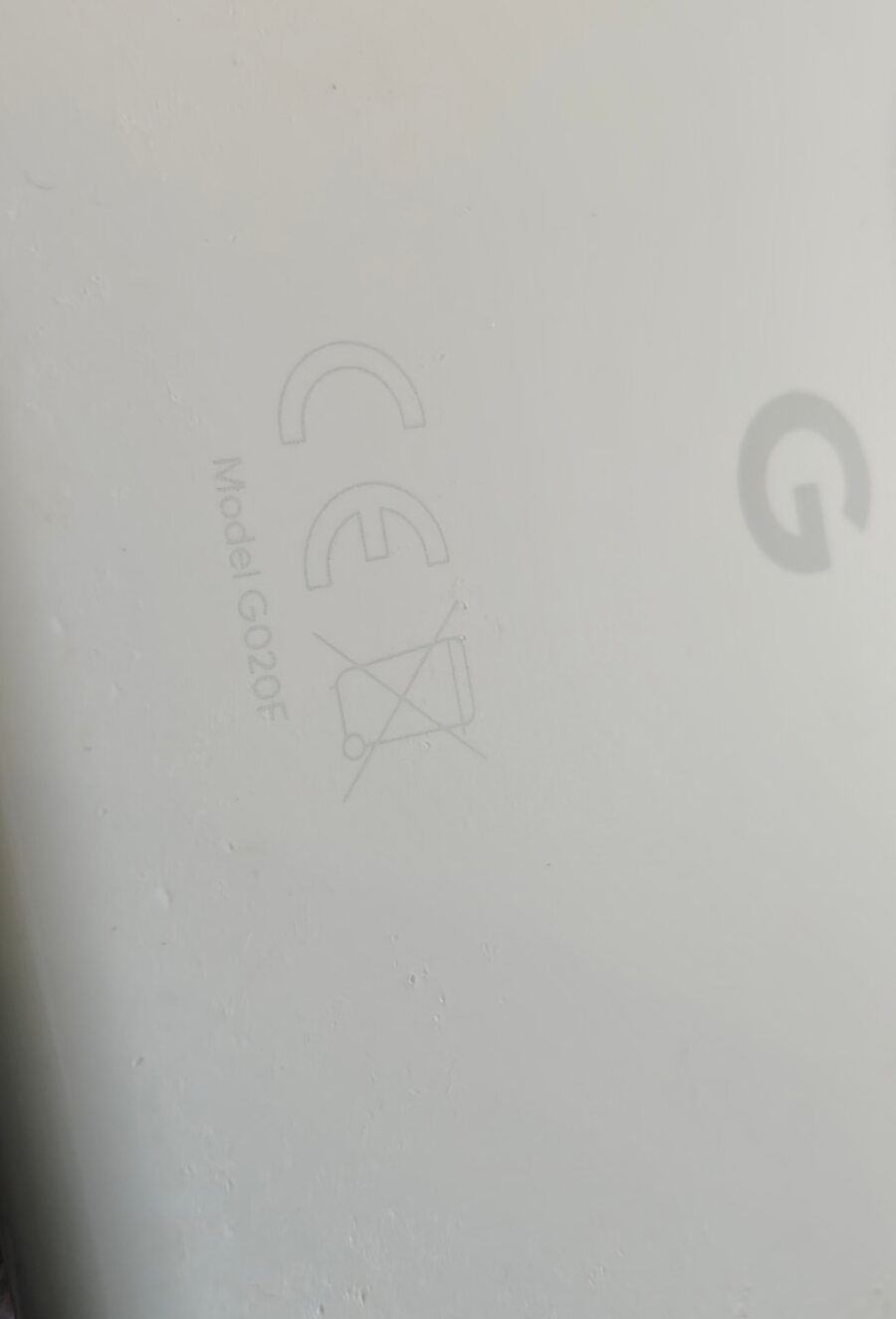
The back of the device. “Model G020F” — the European variant. Beside it, the CE mark and the crossed-out bin, that pictogram meaning “do not dispose of with household waste”. It took seven years for that symbol to stop being a formality and become the subject.
What “end of support” actually means
The Pixel 3a came out in May 2019. It was the sensible one of its generation: a remarkable camera for €400, a headphone jack the flagships had already dropped, an unassuming Snapdragon 670 processor. Google updated it until 5 May 2022. The last build installed on this one is numbered SP2A.220505.008 — Android 12, May 2022 security patch.
Nothing since. Not because the hardware failed: it works perfectly. Because a company decided a period had elapsed.
“The device is no longer supported” is a sentence you read without thinking. Let’s translate it. The processor, the screen, the cameras, the modem, the battery — all still work. What stops is a service: someone, somewhere, stops compiling software for this particular combination of chips. The phone doesn’t become faulty, it becomes orphaned. And because the software it runs cannot be modified by its owner, orphaned means doomed.
Except this one was a Pixel. And Pixels have a rare property: Google, unlike almost all its competitors, lets the owner unlock the bootloader — the small program that decides which operating system is allowed to start. That permission, which I’ll come back to, is what separates a recoverable device from a brick.
Going deeper: what a bootloader actually locks
When a phone powers on, a tiny program burned into the chip runs first, checks a cryptographic signature on the system that follows, and refuses to continue if it doesn’t match. That’s verified boot, and it’s a good thing: it prevents malicious software from replacing your system behind your back.
The problem isn’t the mechanism, it’s who holds the key. On a locked device, only the manufacturer can sign a system. The day it stops producing them, the lock remains but nobody has the key any more. Security becomes a death sentence.
Google lets the owner disable that check, with a prominent warning and a full data wipe along the way — which is the right way to do it, since a thief can’t unlock without destroying everything. The variants sold by certain US carriers, however, are sealed permanently. The difference isn’t technical, it’s commercial. On the back of mine, “G020F” means Rest of World, the European version. Sold carrier-free, therefore unlockable.
Three ways to put Linux on a phone, and only one that counts here
An Android phone already runs a Linux kernel. But an Android kernel is an old version of the official kernel, to which the chip maker has added thousands of changes it never publishes upstream. That code lives only as long as the product does. Which is the whole difference between the three options on the table:
| postmarketOS | Ubuntu Touch | Droidian | |
|---|---|---|---|
| Base | mainline Linux kernel | frozen Android drivers (Halium) | frozen Android drivers |
| On the Pixel 3a | community tier | stable, very polished | working |
| Calls, camera, fingerprint | partial | everything works | partial |
| Life expectancy | that of Linux itself | that of 2019 drivers | same |
| Fixable upstream | yes | no | no |
Ubuntu Touch is objectively the better choice for using this phone: calls, SMS, 4G, Bluetooth, NFC, both cameras, the fingerprint reader — it all works. But it gets there by reusing Android 9 binary drivers. That is, by embalming 2019. Nothing fixed there benefits anyone else, and the day that base rots, there’ll be nothing to do about it.
postmarketOS takes the opposite road: run the official Linux kernel, the one everyone uses, on this chip. It’s harder, things are missing, and that’s precisely the point — what gets written there flows into the kernel the whole world will be running in ten years. A group of developers works on this specific processor under the name sdm670-mainline.
So the choice was simple, provided I accepted what it implies: this phone will not be my phone. It’s a test bench.
Unlocking, and the factory-reset trap
The device arrived factory-reset, which seemed like a simplification. It wasn’t.
To unlock the bootloader you must enable a setting called OEM unlocking in Android. That setting stays greyed out until the phone has reached the network at least once: Google checks the device isn’t reported stolen. So you have to boot the phone, walk through the setup wizard, connect Wi-Fi — and only then enable the option. On a device you’re about to wipe entirely, it’s an absurd but mandatory detour.
Second trap, nastier: the key combination to enter fastboot mode — the bootloader’s maintenance mode — is Volume Down + Power, but only from a completely powered-off phone. On a running device, that same combination takes a screenshot. You press, nothing expected happens, you try again, you start doubting your hardware. You must power off, wait two seconds, hold Volume Down first, then press Power.
The rest is one command, plus a red warning on screen to confirm with the physical buttons:
fastboot flashing unlock
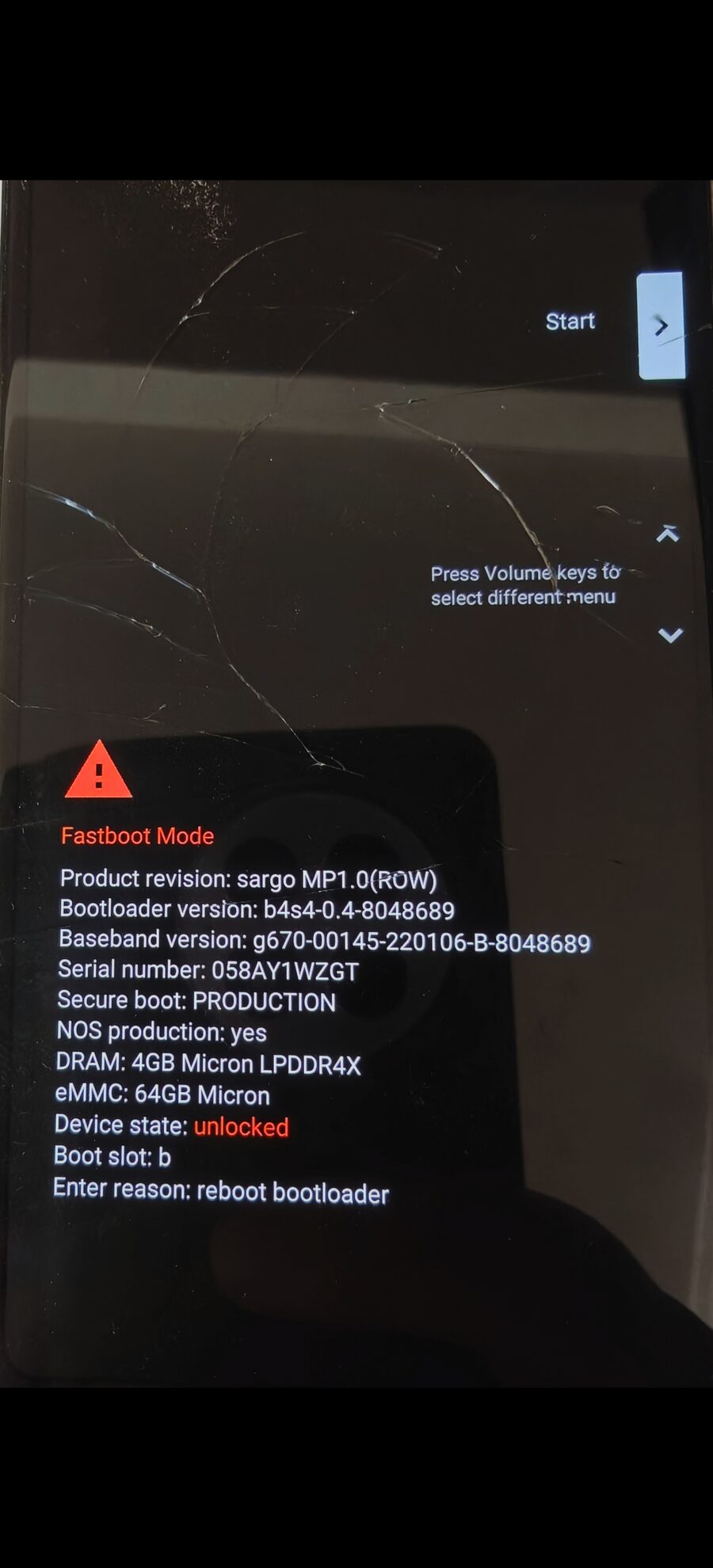
The fastboot screen after the operation. “Device state: unlocked” in red: the phone will now boot a system that Google hasn’t signed. Note “sargo MP1.0 (ROW)” — sargo is the Pixel 3a’s codename, ROW confirms the international variant.
The phone wipes everything and reboots. From there, it doesn’t really belong to Google any more.
Building the system: half an hour of questions
On the computer side, postmarketOS is built with a tool called pmbootstrap, available in most distributions’ repositories. It doesn’t download a ready-made image: it assembles the system for your exact device, in an isolated environment, asking you about twenty questions along the way.
Most call for the default. Three deserve thought, and I settled all three on the same principle: stick to what the maintainers test.
That principle is worth spelling out, because it’s counter-intuitive. When you install a system for yourself, you pick what you prefer. When you install it to contribute, every departure from the majority choice is one more variable that will make your bug reports useless. If I report an audio problem on a stack nobody else runs, the maintainer can neither reproduce it nor compare it. My report becomes noise.
So I took pulseaudio over the more modern pipewire, wpa_supplicant over iwd, the Phosh desktop over the very tempting sxmo, and — reluctantly — systemd. On that last point, postmarketOS is one of the few places where OpenRC remains a first-class citizen; my instinct wasn’t fringe at all. But four of the fifteen open bugs for this device are reported under Phosh with systemd, and journalctl remains the handiest way to extract a clean trace.
Two answers deserve a warning.
Don’t enable disk encryption. The option is there, it’s tempting, and on this phone it makes the device unbootable: an open bug describes a system that doesn’t detect keyboard input at boot. You end up with a machine asking for a passphrase you cannot type.
Keep the locale in English. Counter-intuitive for a francophone blog, but error messages and logs will come out in English, hence directly pasteable into a report and comparable with everyone else’s. It in no way prevents an AZERTY keyboard.
Going deeper: the exact answers, and which packages to bring along
Channel          edge          # where bugs get reported and fixes land
Vendor           google
Device           sargo
UI               phosh
Audio backend    pulseaudio    # default
WiFi backend     wpa_supplicant # default
usb-moded        developer     # USB networking ALWAYS on — the safety line
Service manager  default       # systemd for Phosh
Locale           en_US
The usb-moded: developer choice deserves emphasis: it keeps a network interface alive over the USB cable at all times. When the screen stops responding — and it will — ssh over the cable will be the only way in to collect logs. The other option, charging, would require enabling networking by hand from a possibly unusable phone.
For extra packages, I brought along enough to work from first boot:
libcamera-tools,v4l-utils,evtest,tmux,vim,strace,usbutils
libcamera-tools provides the cam command, which is exactly the tool named in the camera bug I wanted to reproduce. v4l-utils provides v4l2-ctl, the measuring instrument for the fix I was after. evtest is for touchscreen bugs. tmux lets an SSH session survive the cable being unplugged.
A note on method: don’t guess package names. Alpine, the distribution postmarketOS is built on, doesn’t always name them the way your usual distribution does. A wrong name fails the install after several minutes. The index is public and checks in ten seconds:
curl -s -o idx.tar.gz \
  "https://dl-cdn.alpinelinux.org/alpine/edge/community/aarch64/APKINDEX.tar.gz"
tar xzf idx.tar.gz -O APKINDEX | grep '^P:' | sed 's/^P://' > packages.txt
grep -qx "libcamera-tools" packages.txt && echo present
That’s how I found out device-tree-compiler is called dtc on Alpine.

Which is fine in English. In French slang, dtc is an abbreviation you would not say to your mother, and I did read the command twice before running it.
Half an hour later the system was built. It just had to be written to the phone. That’s where the evening derailed.
An hour blaming the wrong culprit
The phone was in fastboot mode, plugged in, recognised. The write command would start — and hang. Indefinitely. Without a single error message, on standard output or on standard error. A sleeping process, forever.
What made it disorienting was that the device seemed perfectly present:
$ fastboot devices
058AY1WZGT     fastboot
It answered. It was there. And yet every write hung.
I formed four theories. All four were wrong, and ruling them out took an hour. They’re worth listing, because they’re exactly the ones anyone would form.
A permissions problem. The classic: the USB node belongs to root, the user has no write access. Checked — the file carried an access control list explicitly granting my account. Ruled out by measurement, not by assumption.
A bad cable or port. That’s the next reflex, and the most common answer on forums. Except the kernel logs were impeccably clean: high-speed enumeration, no error, no reset, no spurious disconnect. A damaged cable leaves traces; there were none.
A USB controller problem. A serious lead: Pixels are USB 2.0 only, and modern controllers are known to be temperamental with certain bootloaders. The usual advice is “plug into a USB 2.0 port”. Two measurements ruled it out: the phone was already negotiating at 480 megabits, so already USB 2.0, and the machine’s motherboard (an Intel Raptor Lake) no longer has a legacy companion controller — everything goes through the same block. “Switch to a USB 2.0 port” was meaningless.
A software regression. pmbootstrap runs its own copy of fastboot, version 37, whereas my system had version 35. So I bypassed the tool and flashed directly with the system’s binary. It hung in exactly the same way. Theory dead.
Four leads, four dead ends. And one detail that should have alerted me far sooner: on every fresh entry into fastboot mode, the first command went through — in thirteen milliseconds — and every one after it hung.
That fact had been in front of me from the start. It took me an hour to listen to it, because I kept questioning the device instead of questioning the system.
The answer was sitting in a file
Fastboot mode is a conversation: the computer asks, the bootloader answers. I eventually looked not at what the phone was answering, but at what the Linux kernel thought of it. That information lives in /sys, a virtual filesystem where the kernel exposes its internal state as readable files.
$ cat /sys/bus/usb/devices/1-9/power/control
auto
$ cat /sys/bus/usb/devices/1-9/power/autosuspend_delay_ms
2000
$ cat /sys/bus/usb/devices/1-9/power/runtime_status
suspended
Asleep.
To save power, the kernel suspends USB devices after an idle delay — here, two seconds. That’s normal and desirable behaviour for most devices, which know how to wake when spoken to again. The Pixel bootloader doesn’t. Once asleep, it never answers again.
Everything falls into place at once:
| What I saw | What was happening |
|---|---|
| First command works, the rest hang | The phone falls asleep in between |
fastboot devices still lists it |
Enumeration is cached, it needs no exchange |
| Unlocking had worked | It was the first command after entering fastboot |
| Leaving and re-entering fastboot “fixed” it | A new enumeration wakes the device, for one command |
Both fastboot versions failed identically |
The binary had nothing to do with it |
| Kernel logs stayed clean | Suspending isn’t an error, it’s normal operation |
The fix is a three-line rule telling the kernel never to suspend Google devices:
# /etc/udev/rules.d/52-fastboot-no-autosuspend.rules
ACTION=="add", SUBSYSTEM=="usb", ATTR{idVendor}=="18d1", \
    TEST=="power/control", ATTR{power/control}="on"
Except it changed nothing. And the reason it failed is the most interesting part of the story.
The second culprit, hiding behind the first
My rule was in fact correct — udev’s own test tool confirmed it was being evaluated and applied. But after each plug-in, the setting fell back to auto.
Someone was coming along behind me. That someone was TLP, a power manager widespread on Linux laptops, which applies its own USB autosuspend settings after udev and therefore silently overwrites yours. Plenty of people install it once for battery life and then forget about it entirely.
TLP has an option meant precisely for this:
# /etc/tlp.conf
USB_EXCLUDE_PHONE=1
USB_DENYLIST="18d1:4ee0 18d1:4ee1 18d1:4ee2 18d1:4ee3 18d1:4ee7"
This time the setting held. One detail worth knowing: applying the fix does not unstick an already-sleeping device. The bootloader’s USB state only recovers on re-enumeration. So you fix it, then leave and re-enter fastboot mode.
And to maximise the odds, I grouped the three writes into a single invocation rather than three successive processes:
fastboot flash vbmeta   vbmeta.img \
         flash boot     boot.img \
         flash userdata google-sargo.img
Sending 'vbmeta_b' (4 KB)                   OKAY [  0.120s]
Writing 'vbmeta_b'                          OKAY [  0.071s]
Sending 'boot_b' (28008 KB)                 OKAY [  0.747s]
Writing 'boot_b'                            OKAY [  0.194s]
Sending sparse 'userdata' 1/9 (258751 KB)   OKAY [  6.306s]
...
Finished. Total time: 94.883s
Ninety-five seconds. After an hour of deadlock.
Going deeper: diagnosing a fastboot that hangs
Three reflexes, in this order:
1. Check the device is genuinely there before interpreting anything. A < waiting for any device > often means the phone simply left fastboot mode, not that there’s an access problem. I nearly concluded there was an inverted permissions issue based on a test where the device was in fact absent.
lsusb | grep 18d1
2. Look at the kernel’s state, not just the command’s output.
cat /sys/bus/usb/devices/<port>/power/runtime_status
3. Inspect the hung process. It tells you whether it opened the device — in which case it’s waiting for an answer that will never come — and what environment it runs in:
sudo readlink /proc/<pid>/root        # is it running in a chroot?
sudo ls -l /proc/<pid>/fd | grep usb  # did it open the device?
Two shell traps I hit along the way, which cost me time:
rc=$?after a pipe captures the last element’s exit code, nevertimeout’s. My diagnostic probe was therefore printing “OK” on commands that were hanging. Redirect to files and test directly, or useset -o pipefail.pkill -f 'some pattern'kills the calling shell when the pattern appears in its own command line. Prefer a loop overpgrep -x.
What booted
Twenty seconds after the reboot, the machine saw a network interface appear. The phone was handing out addresses itself.
$ ssh sam@172.16.42.1
$ uname -r
7.1.3-sdm670
$ df -h /
/dev/loop0p2   47.9G   2.2G   43.2G   5% /
Kernel 7.1.3. On a phone whose manufacturer stopped caring in May 2022, with an Android kernel frozen at 4.9. The filesystem had grown by itself on first boot to fill the available 48 gigabytes.
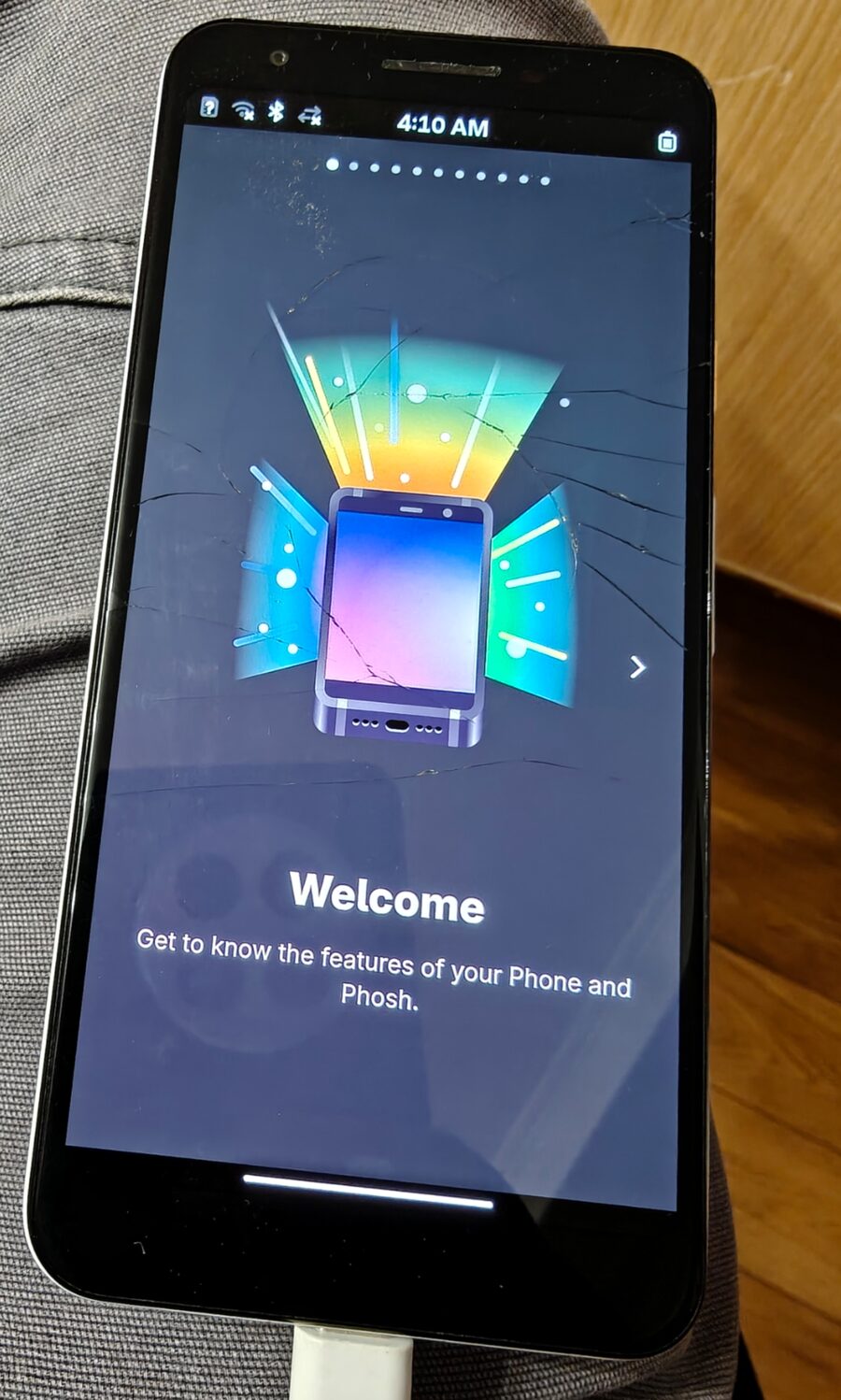
First boot. The screen has been cracked for a long time; the device itself has just got four years younger.
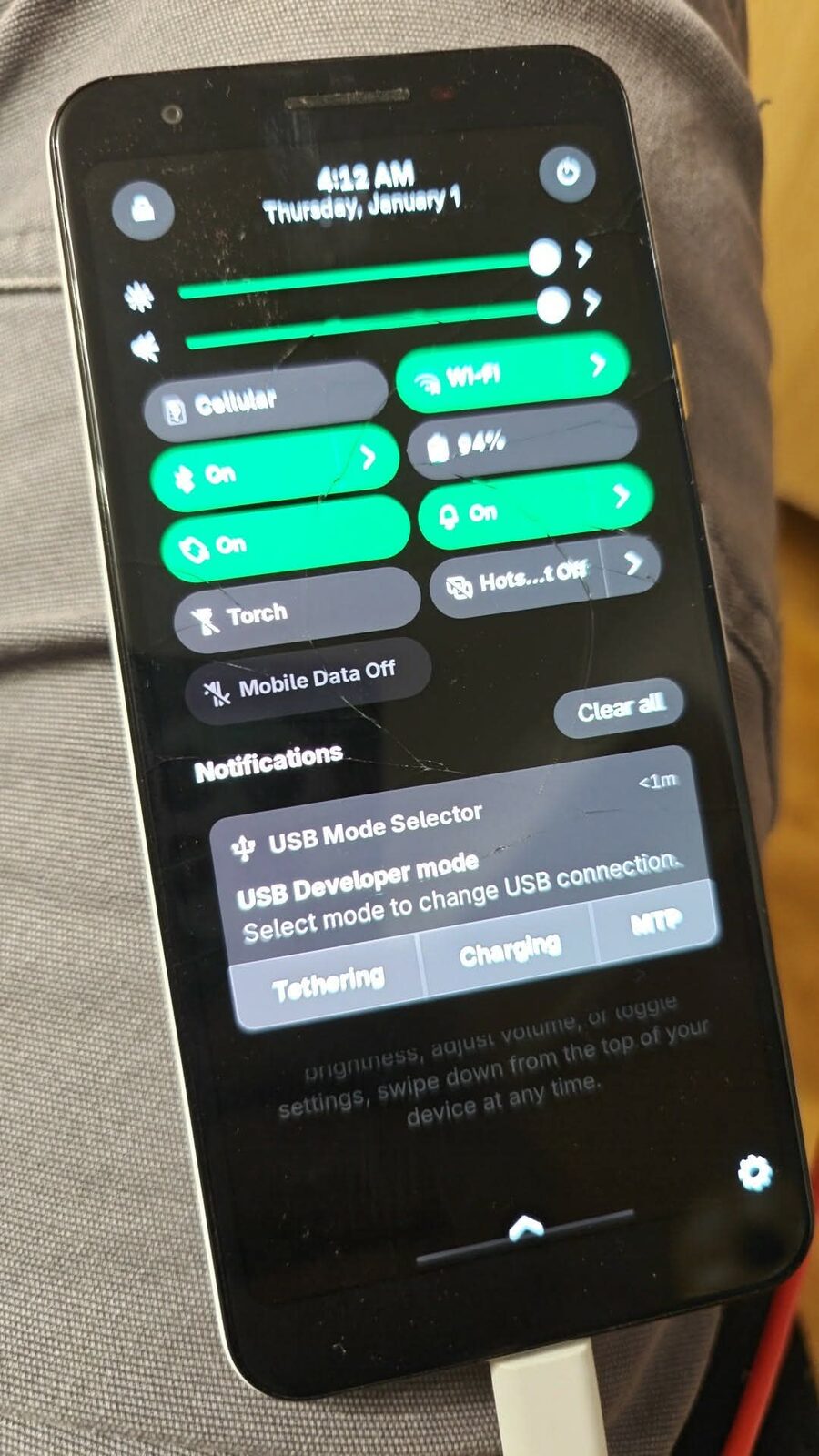
The quick settings panel. Wi-Fi, Bluetooth, battery at 94%. And in the notifications, the “USB Developer mode” selector — exactly the profile chosen at install time, the one that keeps USB networking permanently on. The clock reads “Thursday, January 1, 4:12 AM”: the hardware clock hasn’t been set yet, nobody has told it what day it is.
The camera, or how a well-written tool hands you the work
All that remained was to check what I’d come for. On postmarketOS, cameras go through libcamera, a free library replacing Android’s proprietary stack. A known bug reports that this phone’s front sensor driver is incomplete, and that cam -l — which lists cameras — complains about it.
Complain it did. But far better than I’d hoped:
ERROR V4L2 'imx355 4-001a': Unable to get rectangle 2 on pad 0/0
ERROR V4L2 'imx355 4-001a': Unable to get rectangle 1 on pad 0/0
ERROR V4L2 'imx355 4-001a': Unable to get rectangle 0 on pad 0/0
 WARN  'imx355 4-001a': Failed to retrieve the sensor crop rectangle
 WARN  'imx355 4-001a': The sensor kernel driver needs to be fixed
 WARN  See Documentation/sensor_driver_requirements.rst
There’s something delightful about software that literally tells you “the sensor kernel driver needs to be fixed” and hands you the reference to the document explaining how. It is the exact opposite of error 4202 on a vacuum cleaner.
Concretely: the driver can’t answer when asked for the real dimensions of its pixel array. libcamera then invents defaults and works on approximate geometry.
But the output also revealed this, which I wasn’t expecting:
WARN 'imx363': No static properties available — Please consider updating the database
WARN 'imx355': No static properties available
WARN IPASoft: Failed to create camera sensor helper for imx355 / imx363
This second problem isn’t in the kernel. It’s two data tables inside libcamera itself, where the Pixel 3a’s sensors are missing — while dozens of others are already there, providing a template to copy. Pure data, no algorithms.
Update, a few hours later. Going to write that patch, I found half of it had just been done: the front sensor, the imx355, was added upstream after the 0.7.2 release this phone runs. The warning above is therefore a version artefact, not a gap — an update will settle it. The rear sensor, the imx363, is still absent from the whole repository, and its driver isn’t even in the official kernel: it was written at Intel, never sent upstream, and postmarketOS loads it as a module.
And comparing the fresh imx355 entry against what the driver actually exposes on the device, something is off: it maps “colour bars” to value 1 and “solid colour” to value 2, where the driver does exactly the reverse. Two other sensors with an identical menu, the imx258 and the imx471, are described correctly right beside it. So that’s two patches instead of one — and the easier one is the patch nobody was expecting.
In other words: the first patch to write isn’t the one I came for. It took powering on the real hardware to notice. That’s a fairly general lesson — you can read bug reports for days without seeing what a running machine tells you in three seconds.
Why this isn’t just a hobby
The very morning this phone booted, the account balade.nomade posted a reel (local copy of the caption and comment thread) summarising what’s currently in play in Brussels. It ends on a question I think is well put:
Are you ready to scan your ID card in order to use Instagram?
The tone is activist, so I checked the three claims. Two hold up solidly, the third deserves a caveat — and the comment thread added a fourth, more relevant to this post than the other three.
Chat Control. Accurate. The EU regulation known as CSAR remains stuck in trilogue, with negotiations resuming in late September 2026 under the Irish Council presidency. On 9 July 2026, the European Parliament voted 314 to 276 to strip out the mechanism — short of the 360 votes needed to block the Council’s position. The derogation permitting “voluntary” message scanning was therefore extended to 2028. Client-side scanning was removed from the latest draft, but the Council’s own legal service, in an opinion dated 10 June 2026, considers that voluntary scanning still amounts to a generalised search of communications, incompatible with Article 7 of the Charter of Fundamental Rights.
The end of anonymity. Accurate, with a development the reel doesn’t mention: the French law of 21 July 2026 banning social media for under-fifteens was struck down on 14 August by the Conseil constitutionnel (decision no. 2026-911 DC) as a disproportionate infringement of freedom of expression and privacy. It will not take effect as drafted. But the underlying movement continues elsewhere: the European Commission announced on 15 April 2026 that its age-verification solution was ready for deployment, and the European digital identity wallet is due in member states by year’s end.
Metadata. Here I’ll add a caveat. The EDPB did adopt new anonymisation guidelines on 7 July 2026, open for consultation until 30 October, replacing the 2014 reference opinion. But it’s a technical clarification, not a fist on the table. And recent case law points the other way: the Court of Justice of the European Union, in September 2025, adopted a relative approach — the same pseudonymised data can be anonymous to a party with no means of re-identification, and personal to another.
The fourth point, the one that’s really about this post
In the comments, someone flags that Google is changing its app installation policy and worries this will “put GrapheneOS in danger”. The author’s reply rightly corrects the fear, and the facts bear them out.
Since August 2025, Google has required that every app installed on a certified Android device come from a verified developer — including when you install an APK file by hand, outside any store. The first user-visible restrictions land on 30 September 2026 in Brazil, Indonesia, Singapore and Thailand, before a global rollout in 2027. Installing an app from an unverified developer will go through a roundabout flow with a mandatory twenty-four-hour waiting period. And to become verified, a developer must open an account, pay twenty-five dollars and supply government-issued identity documents.
Reread the reel’s question, and swap the user for the developer. It’s the same gesture: an identity document as a condition of access. One side to read, the other to write.
The commenter was wrong on one point, though, and it’s the one that matters. The requirement applies to certified devices — those shipping Google’s services under licence. GrapheneOS doesn’t ship them: it falls outside the perimeter. So the restriction doesn’t endanger de-Googled systems, it makes their existence more necessary.
Installing your own software, that fight
This is what exasperates me most, and it predates all of this news. On Android as on iOS, installing software you compiled yourself, or pulled from a Git repository, is an obstacle course.
On Android you have to allow an unknown source, click past three warnings, and soon dig through the developer options and then wait twenty-four hours. On iOS it’s worse: an app you compile and sign with a free Apple account stops working after seven days and must be reinstalled from a computer. For it to survive, you pay ninety-nine euros a year. The European Digital Markets Act cracked the door open in 2024 — alternative marketplaces, distribution from your own website — but only within the Union, and on Apple’s terms.
The justification is always the same: security. It deserves to be taken seriously, and therefore examined.
If openness caused insecurity, we’d see it. Linux lets you install anything from anywhere — a repository, an archive, code you compiled by hand — and it isn’t a security disaster: it’s the system running most of the planet’s servers, under permanent attack. Windows, conversely, long had the most permissive model and the worst reputation. If the theory held, Android and iOS would be the safest systems ever built. What we observe is roughly the opposite of what it predicts.
So what protects isn’t closure, it’s a verifiable chain of trust: signed repositories, identified maintainers, source code anyone can read, reproducible builds. Security comes from transparency, not from permission. And that chain already exists on Android: F-Droid has for years distributed free software built from public sources, with no toll and no identity document.
Meanwhile, the official store lets things through. In 2026, a malware family named NoVoice was found in more than fifty Play Store apps, totalling at least 2.3 million downloads — with root access and surviving a factory reset. The year before, the SlopAds campaign: 224 apps, 38 million downloads. And Google banned 80,000 developer accounts in 2025, under a regime that already requires identity verification to publish on the Play Store.
That figure settles the argument. Developer verification already exists where it’s meant to protect, and eighty thousand accounts still have to be banned every year. Extending it to manual installation won’t stop the industrial campaigns — they come through the front door, and it’s documented. It will stop the lone developer publishing their code to a Git repository.
The risk itself is real: someone installing a file received by text message does indeed get caught. But that argues for a clear warning, not an entrance fee. You protect someone by telling them what they’re doing; you don’t protect them by charging the person who writes.
And there’s one criterion that settles the question. To operate an alternative marketplace in the European Union, Apple requires, as of 1 October 2026, that you be publicly traded, or venture-funded, or have passed a financial audit, or total one million annual installs. Not one of those criteria measures the security of anything. They are criteria of size.
I’m willing to grant good faith on the principle. I have more trouble when the same company locks the door and holds the till.
What that changes for an old phone
The common thread is technical, and it’s what connects this news to a 2019 Pixel.
Client-side scanning means inspecting messages on the device, before encryption. Such a mechanism isn’t implemented in an app: it’s implemented in the system. That’s the decisive shift. As long as the guarantee rested on the protocol, it could be audited from outside. Once it rests on the device, the only question that matters becomes: who decides what this device does?
On a phone whose system cannot be replaced, the answer is: the manufacturer. And through it, whoever legislates on the manufacturer. That’s not a scandal, it’s a perfectly ordinary chain of decision — but at no point does it pass through the owner.
Both existing escape hatches — GrapheneOS, postmarketOS — rest on exactly the same thing: a bootloader you’re allowed to unlock. The same checkbox in the developer options that opened this evening. The entire practical way out, for Android, has so far hung on one manufacturer’s goodwill about one setting. GrapheneOS runs on Pixels only; it will take Motorola’s 2027 flagships for that to stop being true.
And I should say what this post does not demonstrate. postmarketOS on a Pixel 3a is not a privacy solution. The modem remains a black box, an autonomous processor running proprietary software the system has no access to. This particular device isn’t usable day to day, as I said from the outset. For real-world use, the serious answer is the one the reel puts in a hashtag: GrapheneOS.
What this post does demonstrate is more modest, and enough: the capability exists, it’s within one evening’s reach, and it gets exercised. A capability never exercised eventually disappears without anyone noticing — not by prohibition, simply because one day no device offers it any more and nobody will have asked for it.
What about your phone?
That was the first question I was asked, and it’s the right one. Here’s what answers it — the figures come from the pmaports repository as of 5 September 2026 and from Ubuntu Touch’s own site, not from a list copied off somewhere.
First, a warning about vocabulary. postmarketOS sorts its devices into three tiers, and they mean something:
community— broadly works, with identified gaps. 39 devices, of which only fourteen are phones.testing— anything from “it boots, in some sense” to “almost everything works”. 149 devices. That’s where most of the world’s handsets sit, and where the work is.downstream— original Android kernel, very limited functionality. 20 devices, not recommended.
No device currently sits above community. That’s an honest measure of where the ecosystem stands.
The fourteen phones in community
| Year | Device |
|---|---|
| 2009 | Nokia N900 |
| 2012 | Samsung Galaxy S III |
| 2014 | Samsung Galaxy Core Prime VE LTE |
| 2018 | OnePlus 6 · OnePlus 6T · Samsung Galaxy S9 · Xiaomi Poco F1 |
| 2019 | Google Pixel 3a · Pixel 3a XL · Purism Librem 5 |
| 2020 | SHIFT6mq |
| 2021 | Fairphone 4 · PinePhone Pro |
Two surprises there. The Xiaomi Poco F1 and the OnePlus 6 / 6T are excellent candidates: powerful for their age, very common second-hand, and ported for years. And the original PinePhone, designed for Linux, sits in testing — it’s the Pro successor that made community.
The rest of the tier isn’t phones: a dozen ARM Chromebooks, the Lenovo ThinkPad X13s, the PineNote, the Odroid XU4, the RockPro64. If you’re after a small ARM Linux computer rather than a phone, that’s a badly underrated route.
In testing, the 149 devices break down mostly across Samsung (30), Xiaomi (18), Sony, OnePlus, LG and Google (5 each), and Fairphone (4). So there’s a good chance your phone is in there — with work left to do on it, which is precisely the point.
If you want a phone that works, not a test bench
That’s a different need, with different answers. Ubuntu Touch lists 111 supported devices, with a per-device functionality score. The best served:
| Device | Working |
|---|---|
| Lenovo Tab M10 HD 2nd gen (WiFi) | 100% |
| BQ Aquaris M10 HD / FHD | 98.7% |
| Fairphone 5 (2023) | 97.4% |
| Xiaomi Redmi Note 9 Pro · Poco X3 NFC | 97.4% |
| OnePlus Nord N10 5G · Nord N100 | 97.4% |
| Fairphone 4 · Pixel 3a / 3a XL | 97.3% |
| Nothing Phone (1) (2022) | 95.6% |
| Fairphone 3 / 3+ | 95.6% |
The Fairphone 4 is the balance point in all this: it’s in postmarketOS community and at 97.3% on Ubuntu Touch, and it’s the most repairable phone on the market besides. If someone asked me what to buy to do this seriously, that would be it — or the Fairphone 5 if the goal is mainly to use the thing.
And if you want to stay on Android while getting out from under Google, GrapheneOS remains the soundest answer — but only on Pixel 6 and later, with seven years of guaranteed updates on the Pixel 8, 9 and 10. The Motorola partnership announced in August 2026 should end that exclusivity in 2027; the official device list, today, is still Pixel-only.
How to check for yours
Look up your device’s codename — not its marketing name — on the postmarketOS wiki and on devices.ubuntu-touch.io. The codename takes one command, with the device plugged in over USB:
adb shell getprop ro.product.device
On mine it answers sargo. And two preconditions apply to everyone, whatever the list says: the bootloader must be unlockable, which rules out most devices sold by US carriers; and the operation wipes everything.
What I take away
The technical part is almost incidental. Three things stay with me.
The trap is nowhere. USB autosuspend is mentioned in no installation guide. Someone who hits it sees a command hang without a message, tries another cable, another port, and concludes their hardware is at fault. They give up. The fix is two lines and applies to every Pixel. That’s what I’ll write first — before any code, before the camera. One evening lost by me can spare a great many others, and it’s probably the highest-yield contribution in the whole story.
I looked in the wrong place for an hour. Not for lack of method, but because I kept questioning the device — retry the command, change a parameter, try again — instead of questioning the system driving the device. The answer was in a nine-character text file. Whenever a tool goes silent instead of failing, stop relaunching it and go read the state of the layer beneath.
And then there’s the substance. This phone has a crossed-out wheelie bin moulded into its back, the pictogram meaning don’t throw it out with the rubbish. The symbol has been there since 2019, mandatory, decorative. Tonight it became accurate: the device didn’t go to the skip, it runs, and it runs a newer kernel than plenty of machines still in service.
This isn’t a technical feat — far more capable people did the hard work of porting a modern kernel to this chip. All I did was follow their tracks and walk into a trap they hadn’t documented. But it is a demonstration: end of support is not a property of the hardware. It’s a decision. And when the manufacturer leaves the door open — as Google does on Pixels, to its credit — that decision can be taken up by someone else.
A second-hand Pixel 3a goes for a few tens of euros. There are millions of them in drawers.
Next up: the camera.